Compare styles at full size before buying. These examples show what to inspect and when a polished image may still be the wrong choice for your profile.
Before generation: choose useful source photos
Use recent, unfiltered photos of yourself with a clearly visible face. Mix angles and natural expressions. Avoid sunglasses, group shots, screenshots and edited facial features. Follow the upload requirements shown for your selected model.
For example, several nearly identical selfies give less variety than a front-facing photo, a slight side angle and a natural smile in different light. A good source set should show the same person consistently, rather than different ages or heavily filtered versions.
Look closer at six MatchPhotos examples
These are selected AI-generated images already used in our public gallery. They illustrate styles and details to inspect, not typical results, customer testimonials or proof of improved matches. We do not have paired source photos here, so this gallery cannot establish likeness. Open any image at full size.
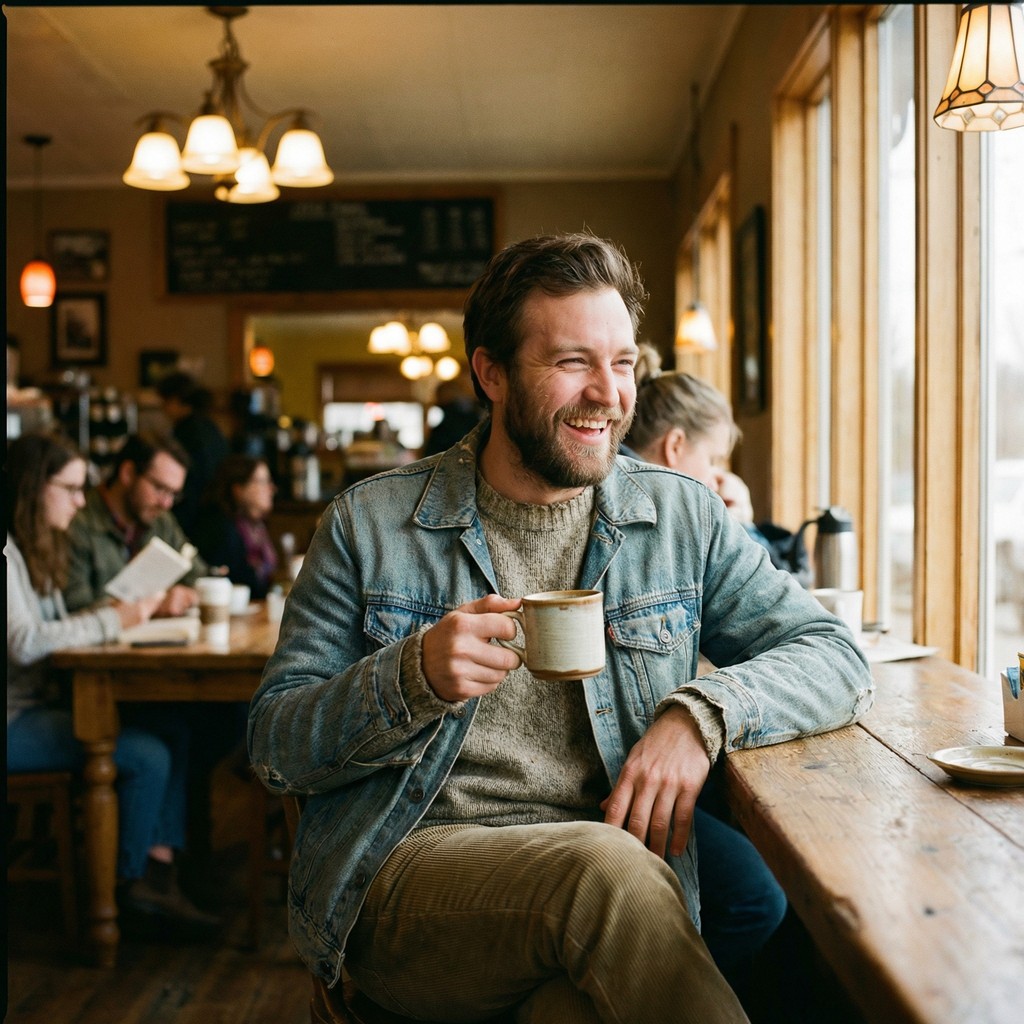
A relaxed expression
Look at the smile, teeth and fingers around the mug. A friendly expression is useful only if it still resembles your everyday smile.
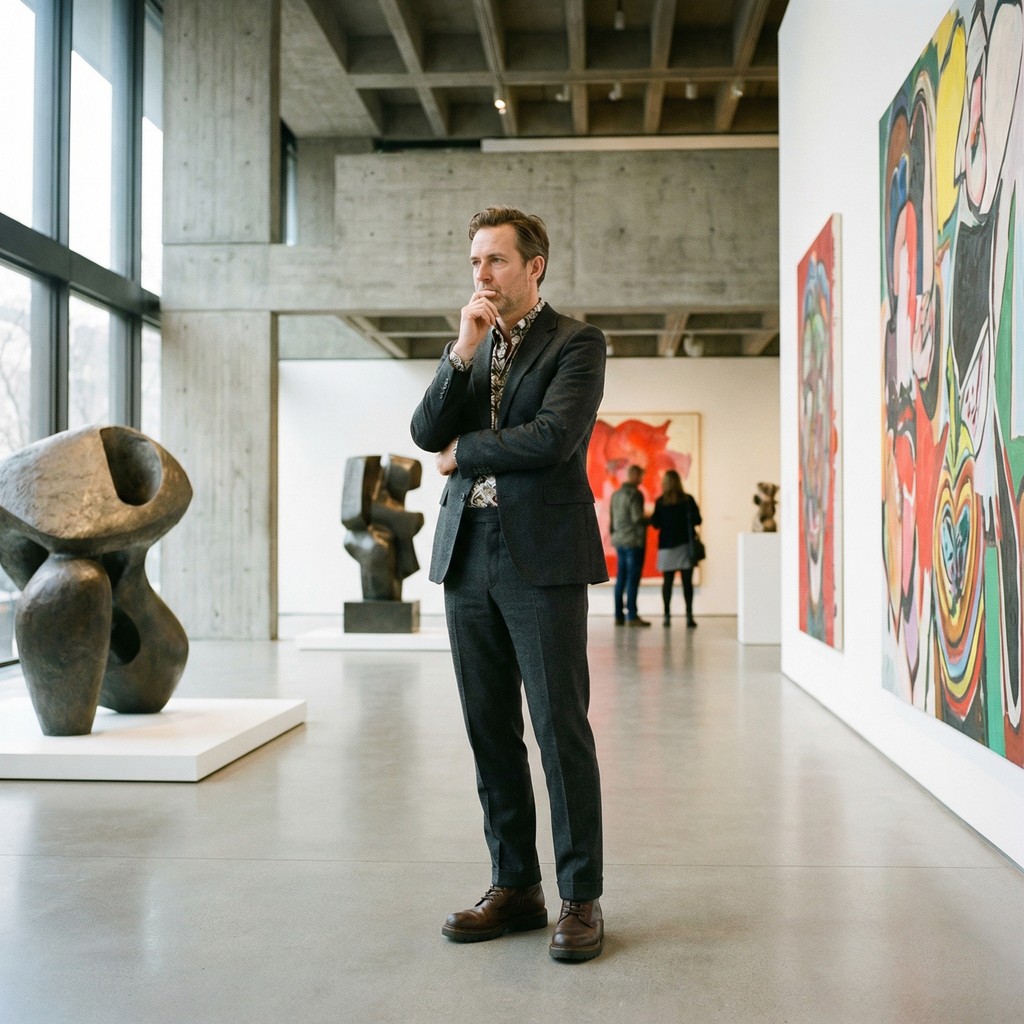
A full-body frame
Check proportions, trouser seams, shoes and contact with the floor. Use an art setting only if it reflects an interest you can actually talk about.
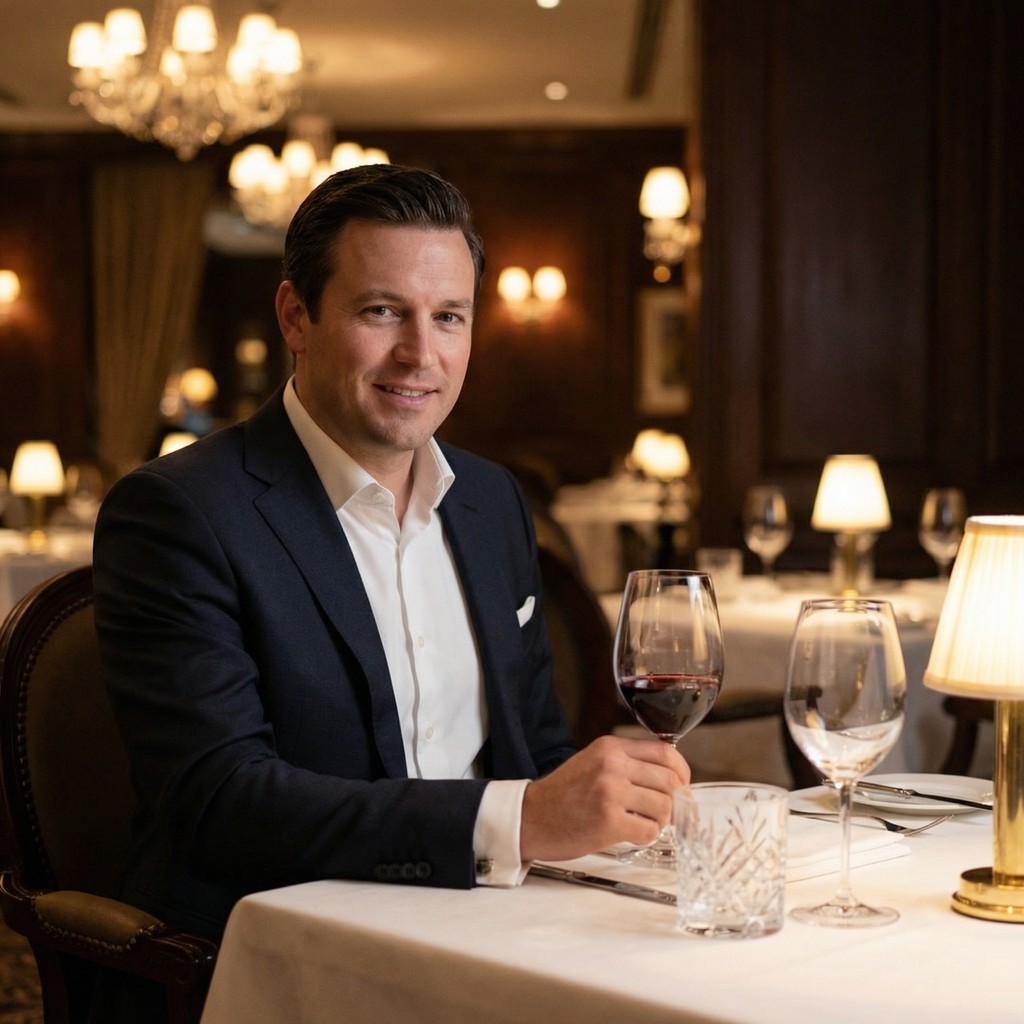
Hands and reflections
Inspect the glass stem, grip and reflections. A polished portrait can look convincing at thumbnail size while small contact details need closer review.
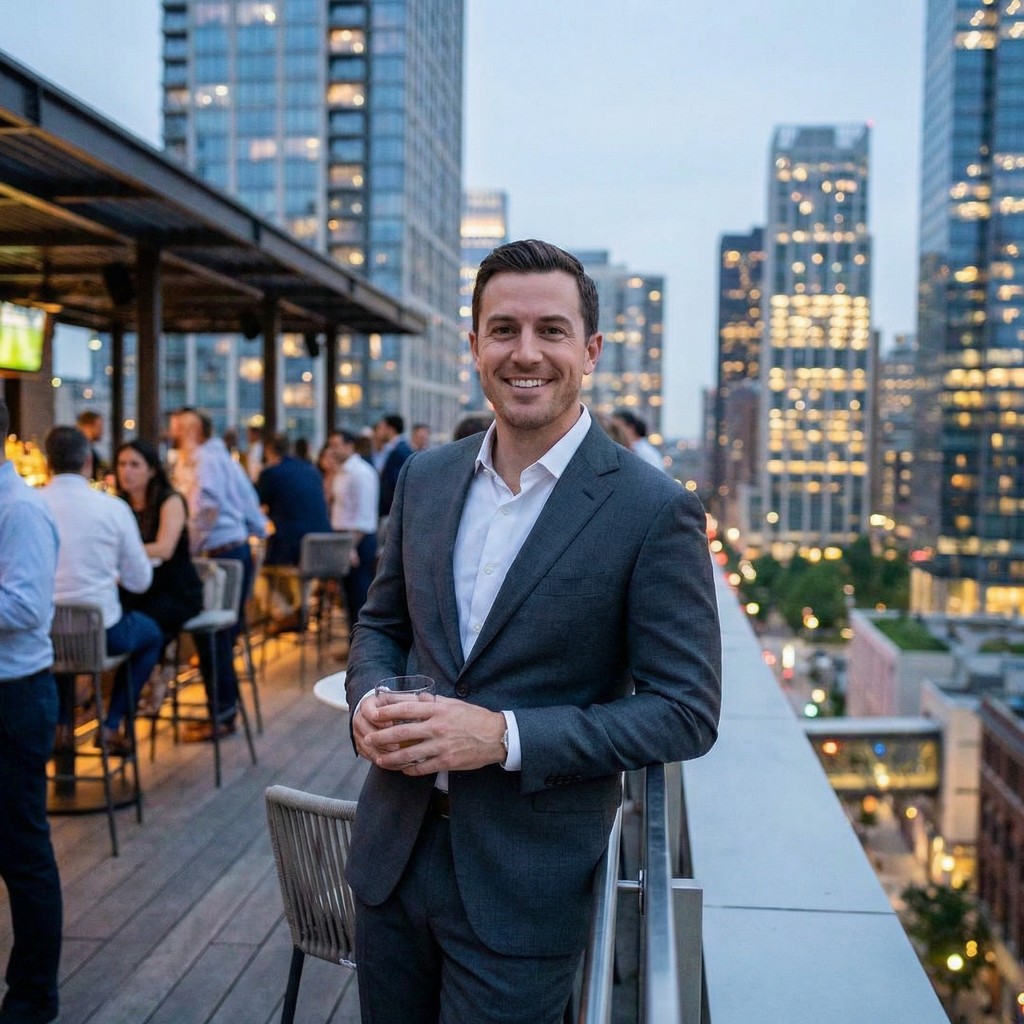
An evening setting
Compare the light on the face with the scene. Check both hands and keep enough of the frame to avoid an awkward crop around the drink.
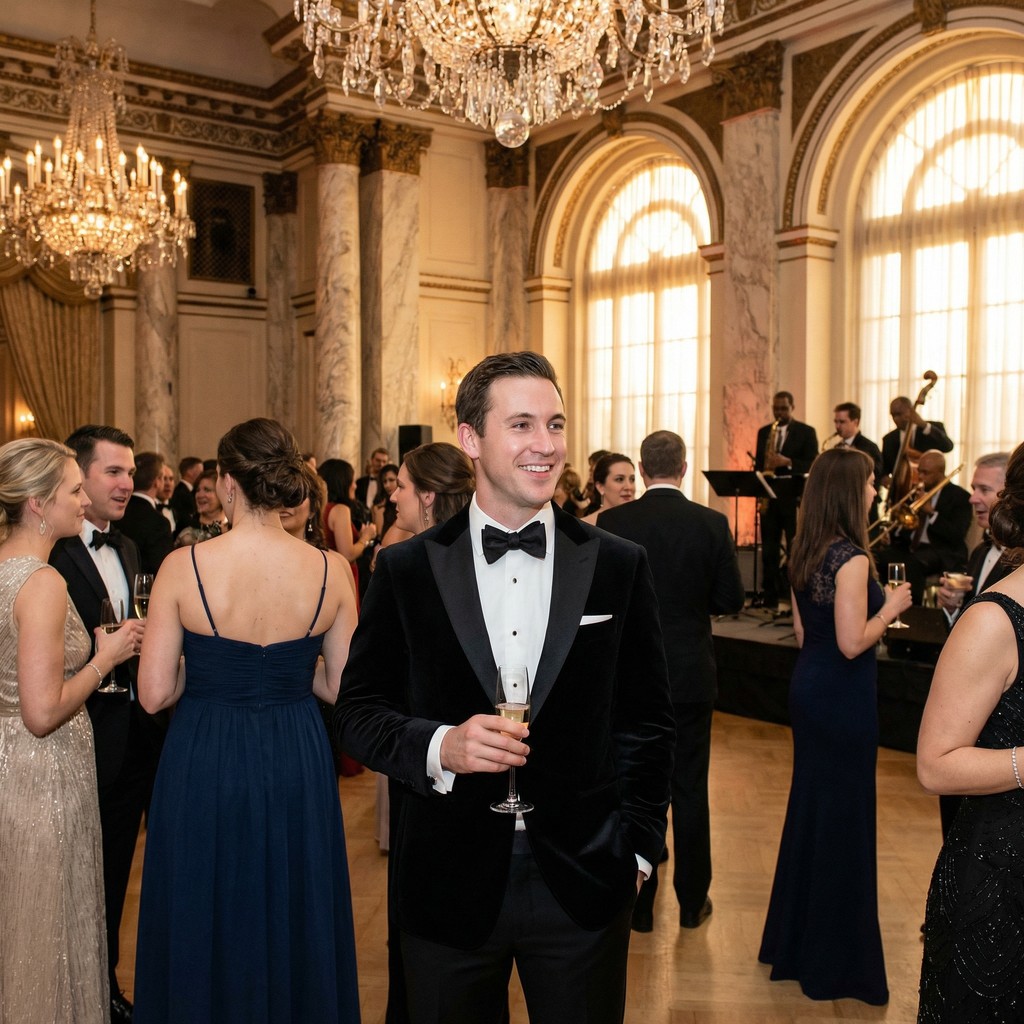
A dressed-up option
A formal image adds variety, but does not establish that you attended this event. Pair it with recent real photos and avoid presenting a generated event as a memory.
Realistic does not mean truthful
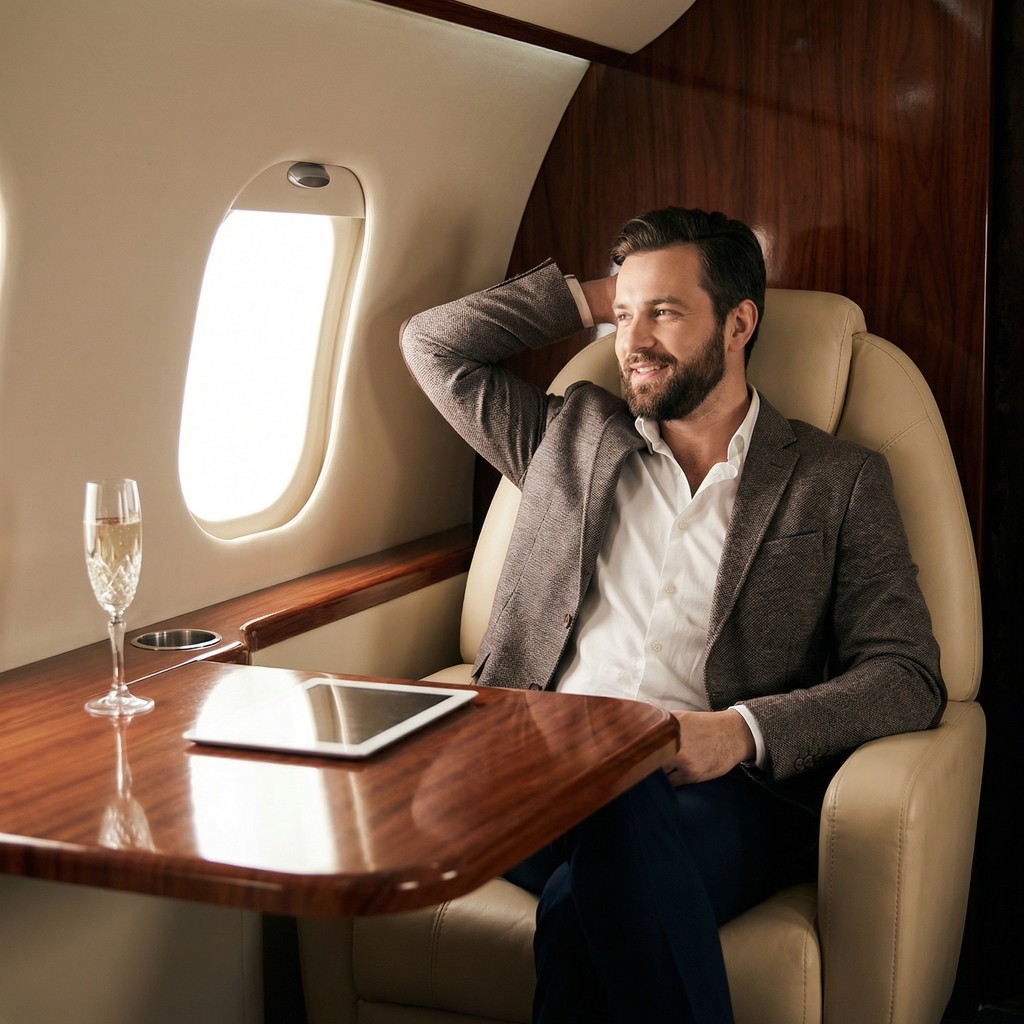
Even a technically plausible image can imply a lifestyle that is not yours. Skip scenes that require a made-up story, regardless of how polished they look.
Start with recognizable source photos. Review identity, detail and context separately. Read how we select examples.
A four-photo selection, with reasons
This is an editorial demonstration using selected generated examples. It is not a before-and-after test and does not predict matches.
1. Opening photo
The face is clear, the expression is relaxed and the crop stays readable at a small size.
2. Full-body view
It changes the camera distance and shows more than another close portrait.
3. Different setting
The evening light and wider context add variety after two brighter images.
4. Conversation detail
The table setting offers a detail to discuss, provided it fits the person’s real life.
Reject
A polished image with an invented context
The aircraft scene is excluded because it can imply a lifestyle that may not be true. Technical realism is not enough.
Keep as an opening-photo candidate
Choose an opener that stays readable
The face is visible and the expression is easy to read. Preview it at thumbnail size before deciding; a detailed background should not compete with the person.
We have no paired source photo for this example. This choice illustrates composition, not verified likeness or a prediction of swipes.
A close crop and a wider crop of the cafe portrait are still the same photo. Keep one and consider this full-body frame for a different camera distance. In the editor below, test crops as alternatives rather than filling two slots with them.
This is an editorial selection exercise, not a measured improvement in profile performance. The wider frame still needs a likeness and detail check.
A private-aircraft scene can imply an experience or lifestyle that is not yours. The gallery example above is also only a style reference: use a real photo of your interest when the image needs to document something you actually did.
A prompt or caption does not turn a generated setting into a real memory. This example does not establish whether a dating app accepts a particular photo.
Add up to nine JPG, PNG or WebP files, test a crop and move the strongest opener to position one. Files stay in this browser tab and are never uploaded or saved. Refreshing clears the lineup.
0 of 9 photos added. Crops are an approximate preview.
Your lineup is empty
Add local photos to compare order and crop.
A quick selection workflow
Compare every candidate with a recent real photo. Reject a changed face, age or body.
Open the full-size image and inspect hands, eyes, teeth, reflections and text.
Keep settings that fit your real life. A convincing invented scene can still mislead.
Keep distinct roles: a clear face, a full-body view and genuine interests. More files do not mean a better lineup.